Learn Essential Blender Skills
A comprehensive Blender course for beginners by Andrew Price.
It's true. You don't need to buy a course to learn Blender, because there are already thousands of free tutorials online.
But the reason you're probably here, is because despite this, you're still struggling. And I think I know why.
You're struggling because Youtube tutorials often teach you HOW to make something, but rarely WHY it was made that way. So, you could watch 10 videos on how to make a house but struggle to make a city, because the techniques are different.
That’s why you so many beginners feel like they're treading water. They hop from tutorial to tutorial, frustrated at their lack of progress. But it's not their fault. They're just starving for a real education.
Break the Tutorial Habit: Learn Why, not just How
The Blender Guru Beginners Academy is different. Instead of teaching you what to click, I'll teach you why it's clicked. Through practical lessons, theory, homework and challenges, you'll learn the foundational skills to think like an artist.
This course is for you if...
You finished the donut tutorial and want the next step.
You want a structured curriculum, not a random assortment of tutorials.
You want to learn on your own schedule from pre-recorded content.
You want to pay once, NOT have another subscription.
You want to learn the latest version of Blender (5.0), with free updates for the whole 5.x series.
You want a substantial course that you can sink your teeth into for 2-3 months.
“I’ve watched many other tutorials before, and most of them are just step-by-step instructions: “do this, do that.” But in this course, you learn the reasoning behind each action, and that makes all the difference.” -P. Sai Prashanth, Course Member
Learn Core Modelling Techniques
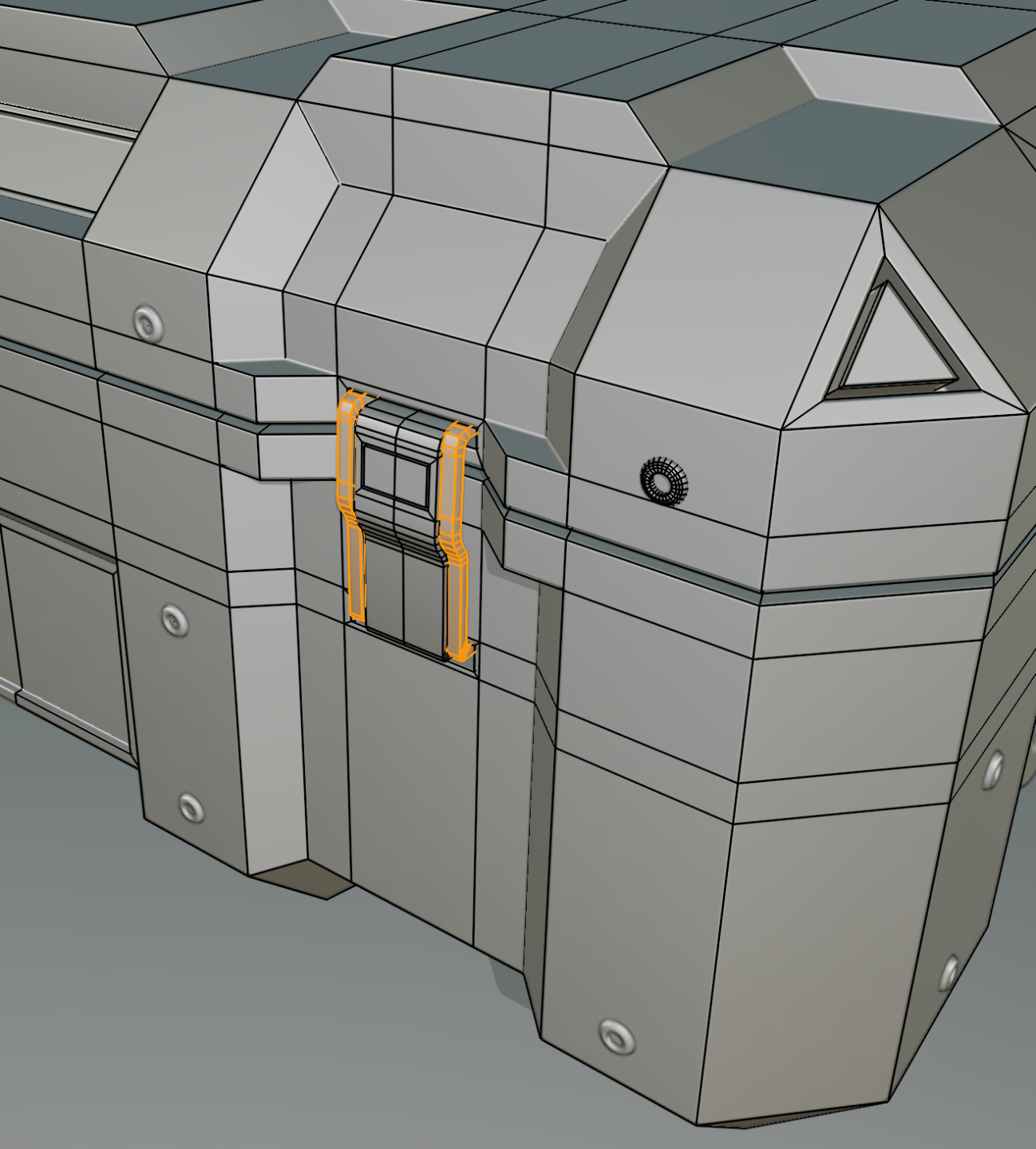
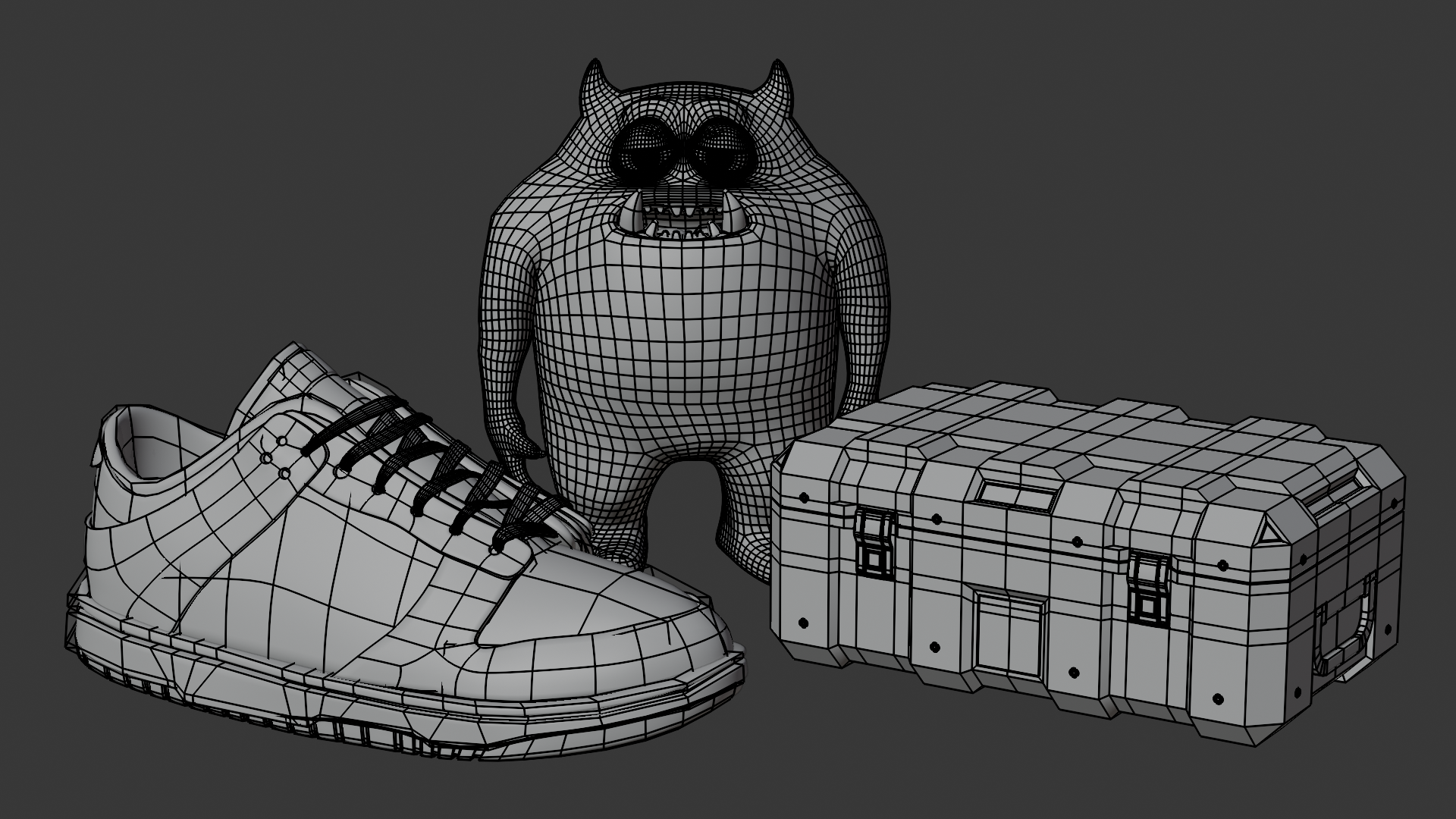
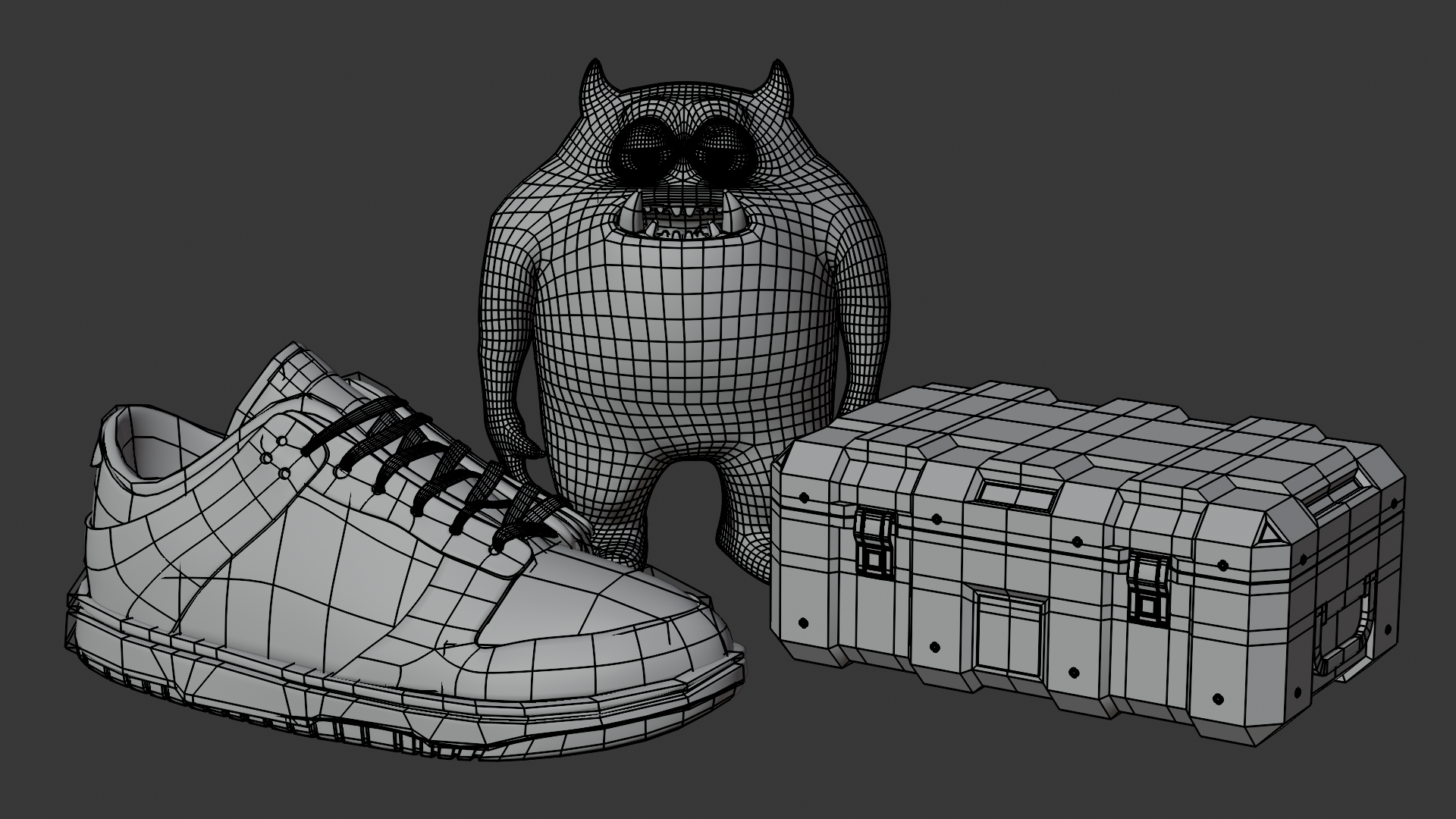
You'll start by learning basic hard surface modelling, as you create a detailed sci-fi crate. Along the way learning core modelling tools, that can be used to create most man-made objects like electronics, buildings and household props.
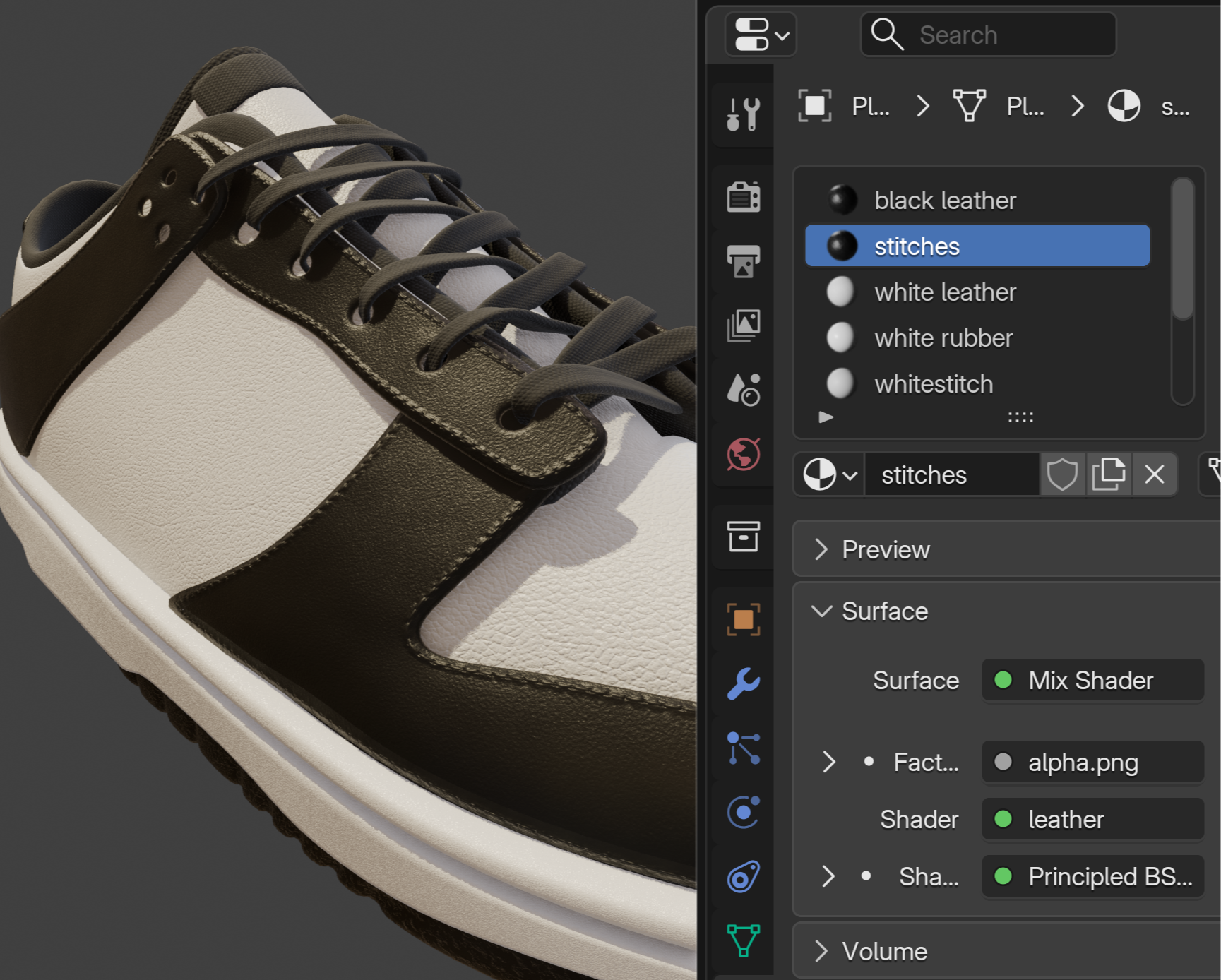
Next, you'll learn how to create Smooth Surface objects. You’ll model a sneaker with rounded curves, using the most common modelling technique in animation and VFX called sub-D. These are the same techniques you can use for curved forms like furniture, plants, gadgets and vehicles.
Next, you'll learn Organic objects. You'll learn how to use Blender's sculpting tools to shape a monster character, then convert into a polished finished model using a technique called retopo.
By the end of the modelling chapters, you'll have the confidence to model almost any object you can imagine!
Learn Core Texturing Techniques
In this module, you’ll learn the most important techniques to making something look real.
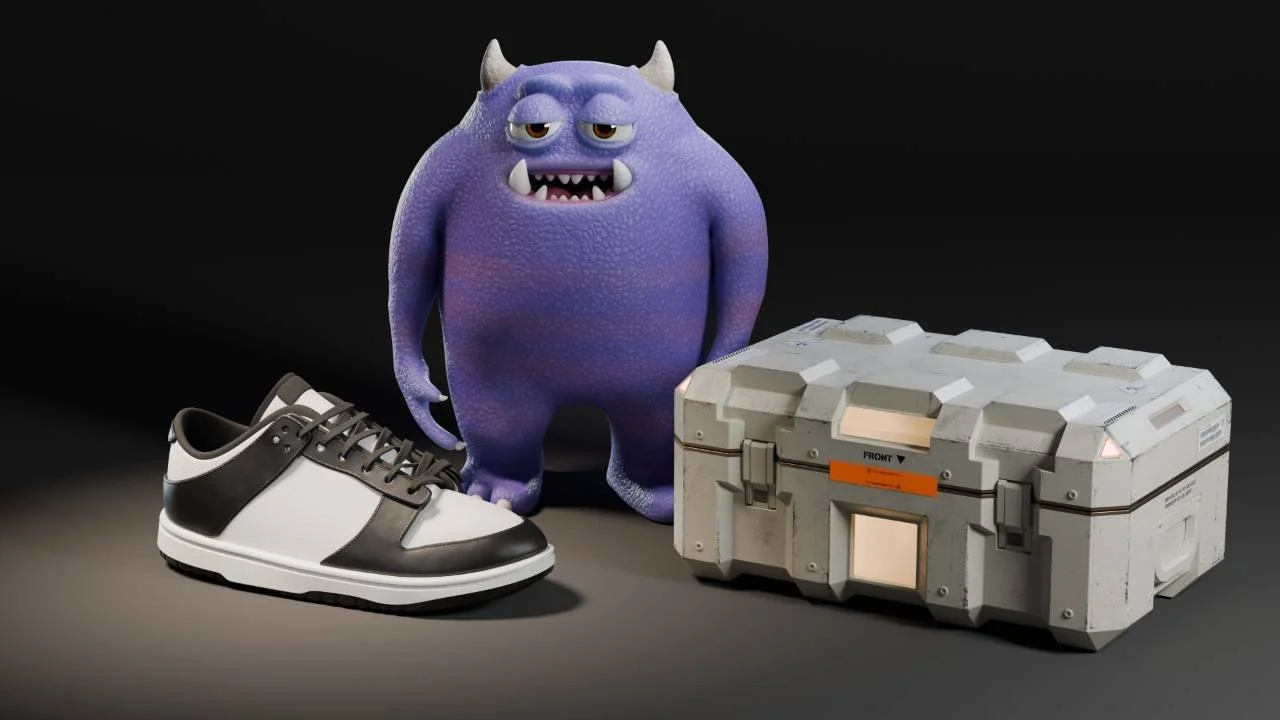
First you’ll learn how to texture your shoe and monster character, by using the oldest technique in 3D, procedural texturing.
Next, you’ll learn how to paint textures. First UV unwrapping both an organic form (your character) and a hard form (your sci-fi box). After unwrapping you’ll then paint color onto the character, while preserving the skin texture. Then you’ll get more detailed, as you learn how to create custom brushes to paint scratches and scrapes onto our sci-fi box.
And then finally you’ll learn how to take an image texture, and make it repeat all over, as well as along one specific section using a technique called "Trim Sheets". And best of all, there's no paid addons. Just vanilla Blender with free extensions.
Learn Core Lighting & Camera Techniques
In this chapter you’ll learn how to make your models look good!
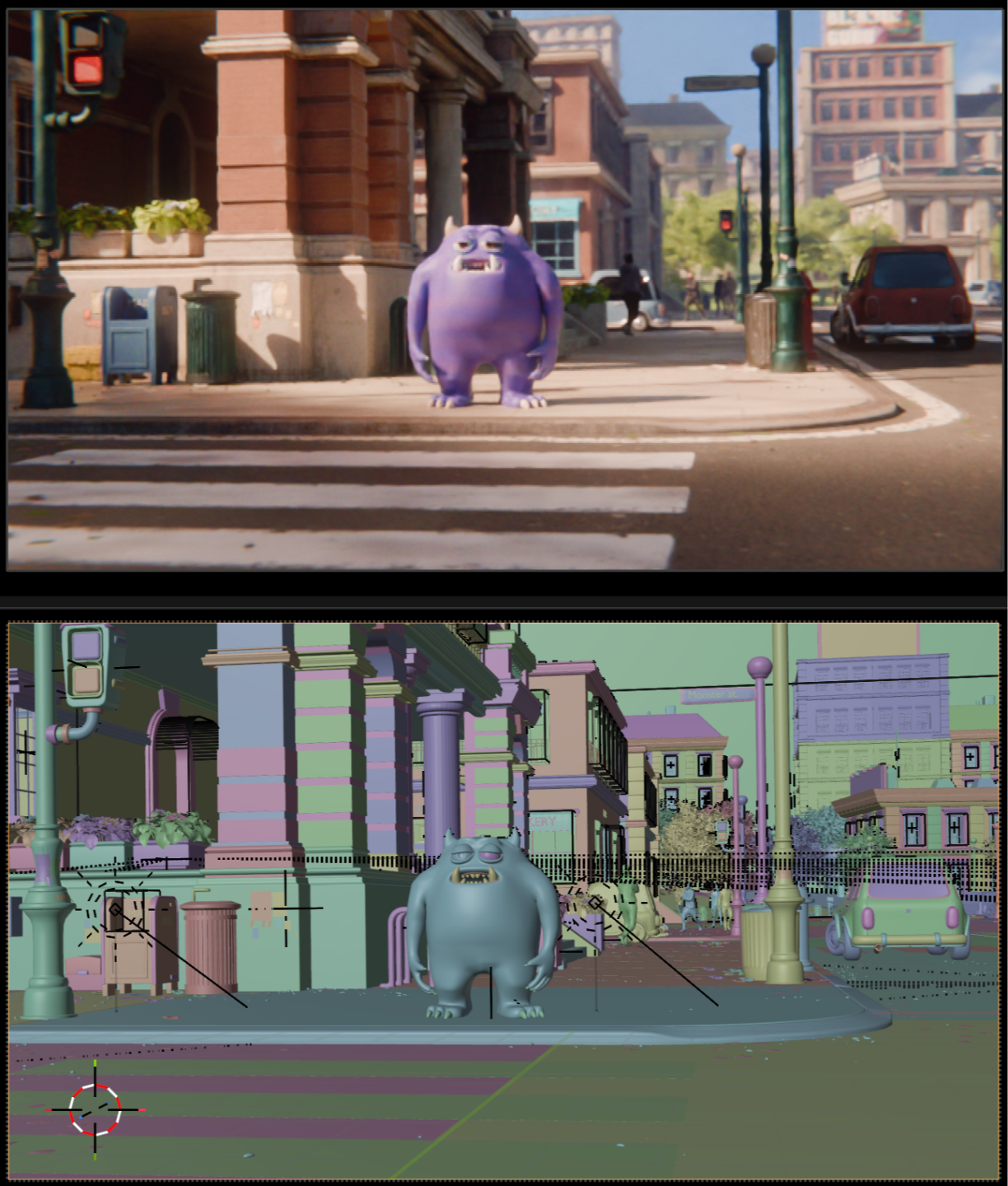
Take your finished scifi crate, shoe and character into an environment to create a polished final image.
You’ll learn the fundamentals of lighting and camera composition, and how to tell different stories.
And finally, you’ll learn how to add a quick rig to your character so it can be posed. And although this isn’t a character animation course, you’ll also learn the basics of keyframe animation.

“Andrew is natural teacher, DNA kind of stuff. Each chapter and challenge gives you great exercises. And he’s created a great community for members in the Discord.” -Pierre Vignau, Course Member
Course Outline
The total run time for all videos in the course is 21hr 26mins. To follow along, expect anywhere from 3-6x this. For example, a part time student learning 4 hours every day might complete everything within 3-6 weeks, plus an additional 3-4 weeks for the optional challenges.
But don’t feel bad if you don’t finish it! It’s designed so that each lesson teaches you actionable steps that you can use at any stage in your Blender journey.
Modelling
-
Introduction (39mins)
Welcome (6mins)
6 Habits of Highly Effective Beginners (33mins)
-
Intro to Hard Surface (1min)
Part 1 - Basic Form (14min)
Part 2 - Medium Shapes (23min)
Part 3 - Smaller Details (18min)
Part 4 - The Buckle (31min)
Part 5 - The Handle & Rivets (33min)
Hard Surface Challenges!
The Hard Surface Challenge (13min)
Step 1: Gathering Reference (12min)
Step 2: Analysis (26min)
-
Intro (1min)
Part 1 (26min)
Part 1.5 (3min)
Part 2 (40 min)
Part 3 (28 min)
Part 4 (27min)
Part 5 (29min)
Part 6 (28min)
Smooth Surface Challenges (11min)
-
Introduction (2min)
Part 1 - Block-in (6min)
Part 2 - Sculpting (48min)
Part 3 - Retopo (31min)
Part 4 - Retopo (46min)
Part 5 - Retopo (29min)
Part 6 - Final Polish (33min)
Challenges (10 min)
Texturing, Lighting, Rendering
-
Introduction to Texturing, Lighting and Rendering (1min)
Understanding Textures and Shading (18 min)
Creating procedural monster skin (8min)
Procedural Shoe Leather & Rubber (53min)
-
Monster UVs (24min)
Monster Painting (24min)
Monster Horns and Claw (21min)
Box UVs (34min)
Box Texturing Part 1 (43 min)
Box Texturing Part 2 (27min 26sec)
Box Surface Imperfections (29min)
Box Decals (29min)
Shoe Image Texturing (39min)
Shoe Stitching (33min)
-
Lighting Fundamentals (40min)
Practical Studio Lighting (34min)
Fundamentals of Composition (26min)
Practical Scifi Interior (1hr 11min)
Basics of Rigging (54min)
Practical City Exterior (53min)
-
Learn to think like an artist
Throughout the course are opportunities to fly solo, through Homework and Challenges.
Homework is peppered through the course as you learn new techniques. For example, if you've just learned about insetting, you'll be encouraged to try to inset the next feature all by yourself. And if you get stuck or make a mistake, don't worry, you'll see my answer in the following video.
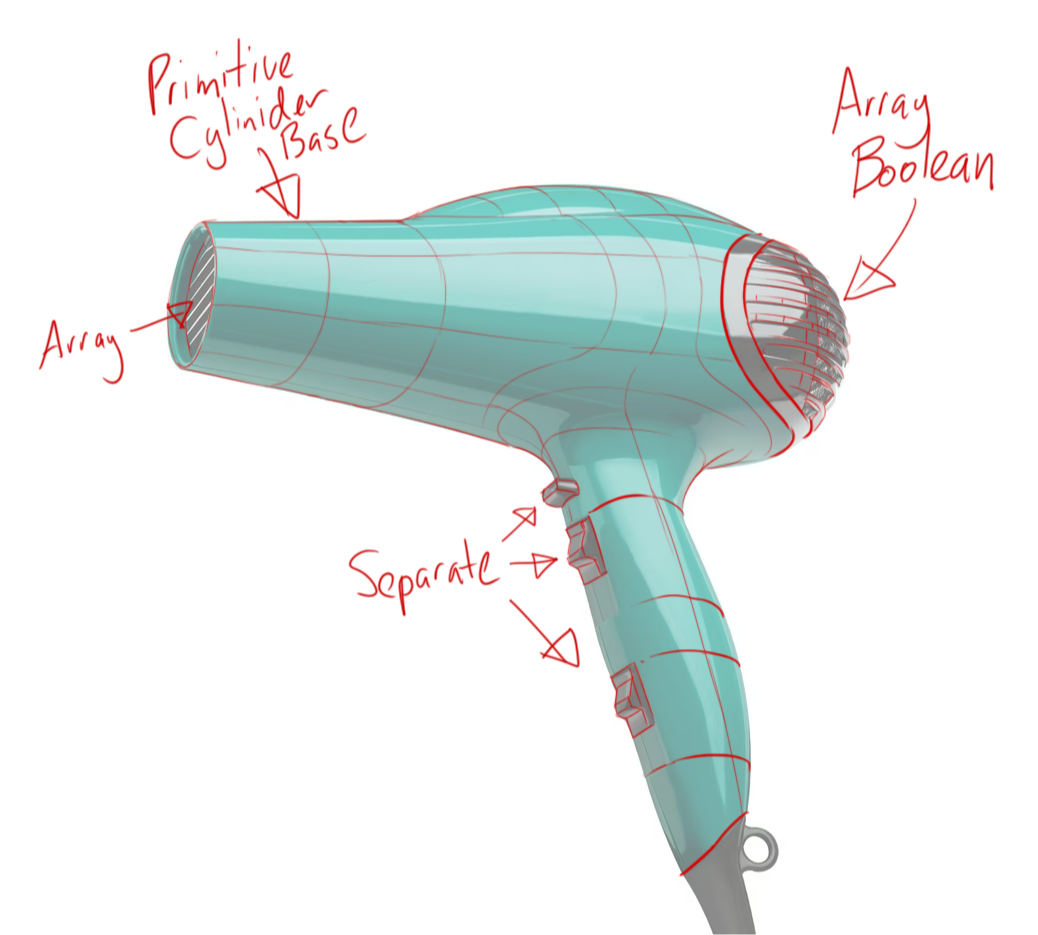
Challenges are small projects that you can feasible create by yourself at the end of each module. So for example, after learning to model a shoe, you'll pick from a list of subjects in various difficulty classes like easy (stylized food) or hard (electronics).
There's also a dedicated mini-module to teach you the principles of analysis, to ensure you're taking the right approach.
And you won't be alone, as other students will be sharing their projects in the private members only discord.
“Absolutely amazing! I've learnt so much more beyond the donut tutorial. It's helped me to not only learn Blender but also the workflows to actually model other things.” -Andy, Course Member
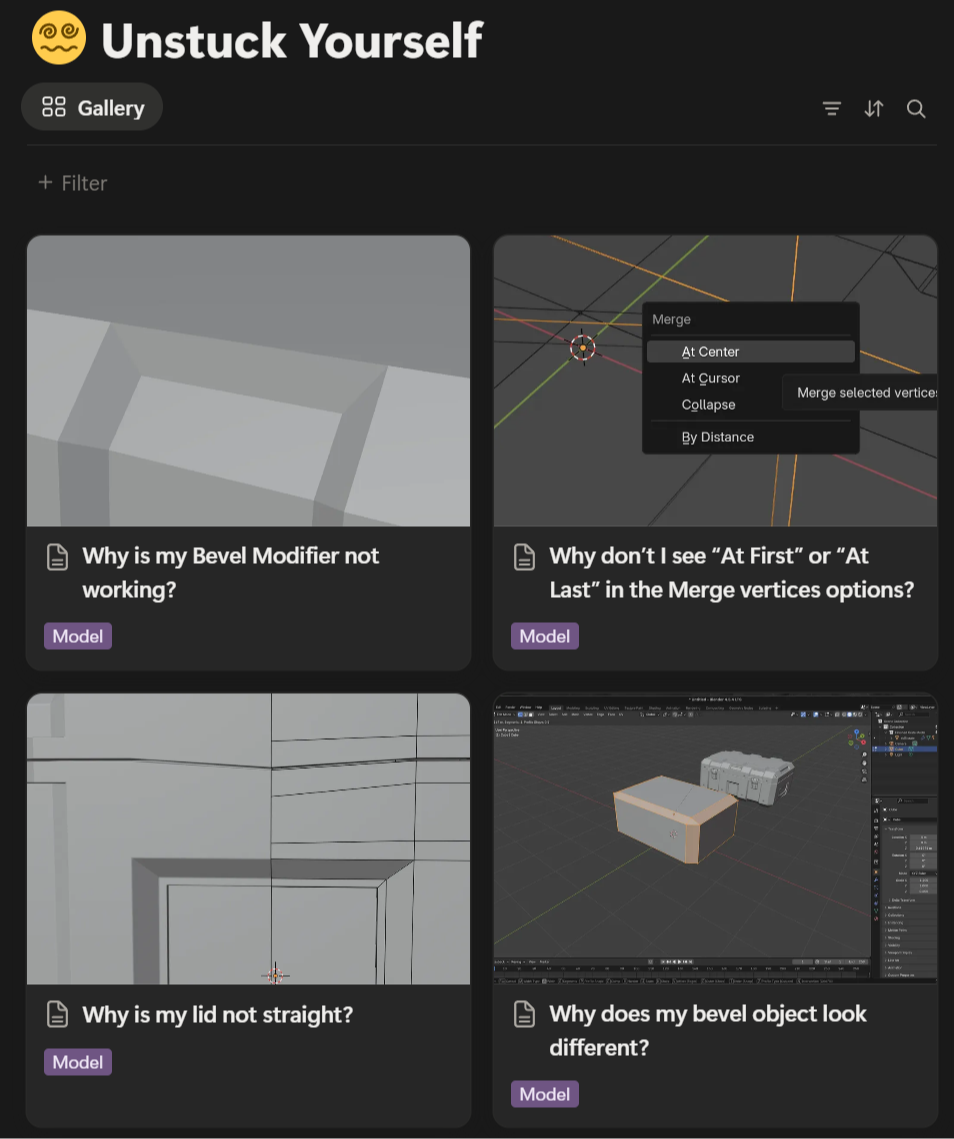
🛟Help is on the way!
There's nothing worse than getting stuck in the middle of a course and having no way to proceed. That's why this course comes with 3 bonus live savers:
Unstuck Yourself Guide - A constantly evolving index of the most common issues you may encounter, and how to resolve them.
Members only Discord - For when you can't find the answer in the guide or want feedback from students or moderators.
Tool Index - Need to relearn a previously taught tool or a technique, but forget which video it was in? The tool index lists the first time that every major tool or technique is taught. In one click you're back at the video with the exact timecode.
Course Grading and Certification
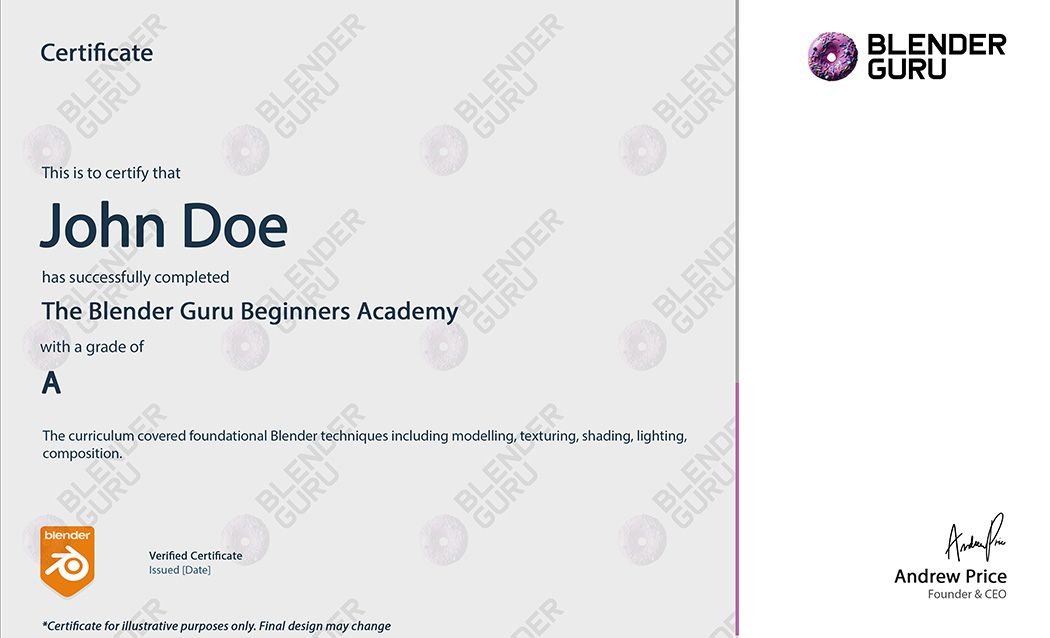
Upon completion of the full course, you'll have an opportunity to earn a grade and certificate. This can be used to help you land a job, look impressive on LinkedIn, or meet compliance at work.
NOTE: Certificates are only awarded when criteria is met, like your renders of a module and participation in challenges.
Hollywood Trusted
In The Blender Guru Academy, you’ll be learning from me, Andrew Price. Some of my accolades include:
Hollywood director David F Sandberg recommended my tutorials on Corridor’s VFX Artist react.
My donut tutorial used to create the bagel in Everything Everywhere All at Once
Presenting at 6 Blender Conferences.
Interviewed the world's leading 3D artists in Los Angeles
I was the 3D lead on a feature quality short film ('Skywatch', directed by Colin Levy)
Founded Poliigon - a texture library trusted by the world's best VFX and Game studios.
Creating the #1 Youtube channel for 3D; ‘Blender Guru’.
This course is a culmination of 21 years experience, all packaged in one easy to follow course.

Stop overpaying for university!
Most traditional art schools and universities are borderline scams. Students finish with little hands-on experience, and a portfolio that looks like hot garbage. I once had the misfortune of giving career advice to a dejected student that had wasted $40,000 and two years of their life at a university in Australia. Not only did their teacher not even know the software they were supposedly “teaching”, but his portfolio looked worse than most complete beginners.
I think you’ll learn more from this course than almost every introductory course taught at any school globally. But if you were to pay for the equivalent, below is the median price you would pay for a single 3-credit college courses (approx 45-contact hours):
United States: $3,000-4,000
United Kingdom: £1,500-3,000
Australia: $2,000-4,500 AUD
Considering most students finish university with outdated techniques and no practical hands on experience, these prices are criminal!
You’ll learn far more from this course and pay just a fraction of the price.
Modelling Only
$190
Recommended for 3D Printing Enthusiasts
Modelling Training
Modelling Challenges
Unstuck Yourself Guide
Tool Index
Private Discord Access
Community Competitions
Free updates till end of 2027
7-Day No-Hassle Refunds
Full Course
$290
Most Popular
You get everything in Modelling, PLUS:
Texturing Training
Lighting Training
Camera Training
Rigging training
Course Grading and Certification
3 Months of Poliigon Unlimited
(valued at $162)
“What I’ve realized is that if we truly pay attention to why we do something — like why we beveled at that moment and not earlier —and then practice applying those principles, we can model anything we see. Yes, this course is excellent. Thank you, Guru!” -P. Sai Prashanth, Course Member
Ready to Go Beyond the Donut? 🍩
If you know the basics of Blender, but want to learn how to think like a 3D artist - this is the course for you.
Join the course to learn hundreds of tools and techniques that will help you create what you desire using Blender.

-
This is for beginners who want a guided, comprehensive course to learning the essential tools and techniques of Blender.
You'll finish with the confidence to know how to turn an idea into a model or image.
-
Description text This course is aimed at beginners. If you should have either watched the donut or at the very least know:
Basic navigation (orbit, pan etc)
The basic concepts of moving, rotating and scaling objects
How to alter a mesh in edit mode.
How to add a new material and a light source.
How to render an image
If you know that, then you will have no problem following the course.goes here
-
The donut tutorial only touches on each tool. This course goes much further and deeper, teaching you what each tool and technique does and when to use it. By the end of the course you'll be able to turn an idea into a finished model or image.
This course is designed to be watched after completing the donut, or at the very least after watching part 1.
-
The total run time is 21hr 26mins. But to complete the course, expect anywhere from 3-6x this timeframe.
For example, a part time student learning 4 hours every day would likely need 3-6 weeks to complete the base material. And likely 6-10 weeks with the additional challenges.
-
While the course doesn't focus on video game production it does show you how to create 3D models, which can be exported to any game engine.
If you don't care about rendering inside of Blender, then you should only watch the modelling and the UV unwrapping components of each module.
-
The modelling and texturing components will be fine on any computer made in the last 10 years. The lighting and rendering sections require a CPU or GPU capable of rendering.
PC
Minimum Specs:
OS: Windows 8 (or Linux Distribution with glibc 2.28 or newer)
CPU: 4 cores with SSE4.2 support
RAM: 8GB
GPU: 2 GB VRAM
Recommended Specs:
OS: Windows 10
CPU: 8 cores
RAM: 32 GB
GPU: 8 GB VRAM or Nvidia RTX 2060
MAC
Minimum Specs:
OS: macOS 13 (Ventura)
CPU: Apple Silicon M1
RAM: 8 GB
Recommended Specs:
OS: macOS 15 (Sequoia)
CPU: Apple Silicon M2
RAM: 32 GB
GPU: 8 GB, Metal 3
-
All course content is pre-recorded so you can watch on your own schedule.
The only time sensitive component are the optional members-only competitions, which are announced monthly and operate from 2026 to 2027 inside the Discord group.
-
Yes! All course content is published, and ready to watch today.
-
If the course isn't right for you, simply email [email protected] within 7-days of your purchase for a full refund.
-
Yes, this can be done on request at an additional cost of $150. To request this upgrade, email [email protected].
-
Unfortunately, no. The course is already heavily discounted from similar courses taught at art schools.
-
Unfortunately, it's only available in English.